
Lab tests are designed to record the test analysis administered to an entity and a group of entities. The design allows for the creation of a lab with test codes and matrices to define the required testing and results. It does not offer the complete functionality for running a lab, but does provide the ability to record the results of tests.
Prior to creating a Lab Test transaction the following items must be created:
The following procedures are outlined in the Lab Tests document:
Single Metrics are used to identify lab test that require one result. Example: if the test result is to confirm if the results was Positive, then the metric code "Positive" would be assigned to the test using Lab Test Codes Mappings in Admin. If the result of the test came back as Positive, then select the 'Positive' box. If the test result was negative, the Positive check box would not be selected.
Lab Test Codes and Lab Test Codes Metric are set up in Admin to identify the tests and the results.
 to create a new single
metric transaction.
to create a new single
metric transaction.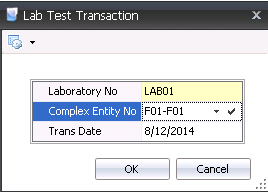
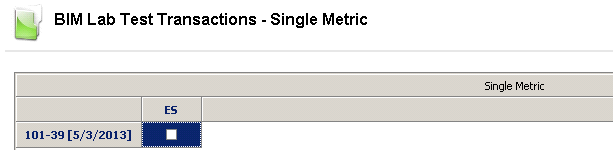
The Multi Metric transactions is used when running multiple metrics on a lab test, using multiple ways of testing it. There are three components in the creation of a Multi Metric Lab Test transaction:
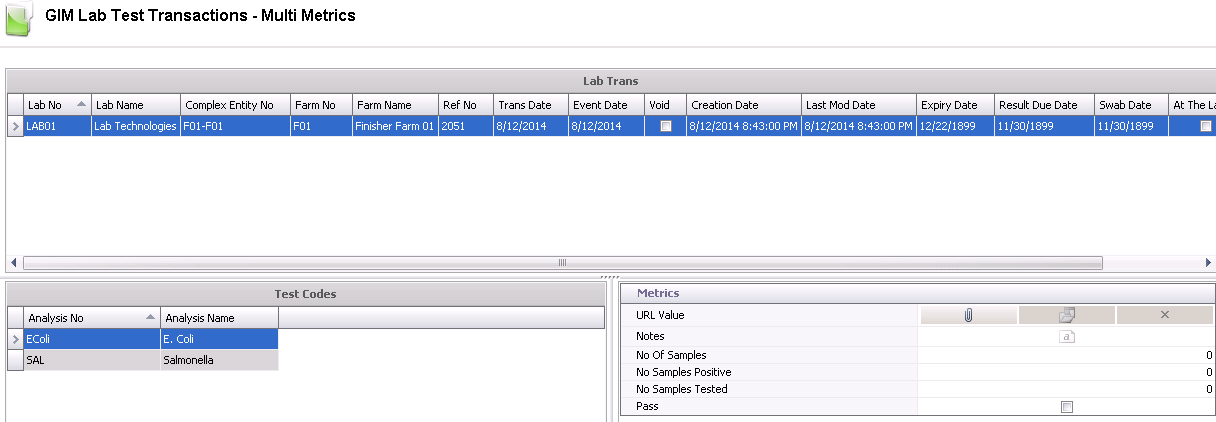
to create a new multi metrics
lab test transaction.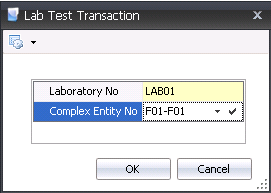 to
add another test line.
to
add another test line.

Ref No is an automatically generated number that uniquely identifies the transaction.
In the Trans Date field, enter the date of the lab test. This date will be used for all inventory and accounting transactions.
Event Date defaults in as the same as the Trans Date. This date may be changed if the transaction actually occurred on a different date, however, this date does not affect inventory or accounting.
If the Void flag is selected, the transaction will be voided and excluded from the entity’s statistics.
Expiry Date defaults to the system null date of 12/22/1899.This field is optional and can be modify to reflect the date that the testing expires.
Result Due Date defaults to the system null date of 11/30/1899. This field is optional and can be modified to reflect the date the results are due back.
Swab Date defaults to the system null date of 11/30/1899. This field is optional and can be modified to reflect the date the swab was taken.
Select the At The Lab flag if the product is currently at the lab for testing.
If the product is already at the lab, in the Date Placed field, enter the date the product was placed at the lab.
Test Codes will default in and must be predefined in: Admin>Business>General>Definitions>Lab Test>Lab Test Codes.
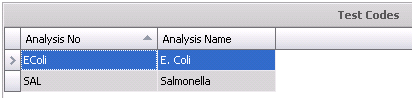
Metrics are user-defined and configured to the test codes so that the required information is gathered for each test code. Metrics must set up in: Admin>Business>General>Definitions>Lab Test>Lab Test Codes Metrics. .Metrics can be used for statistical and tracking information.
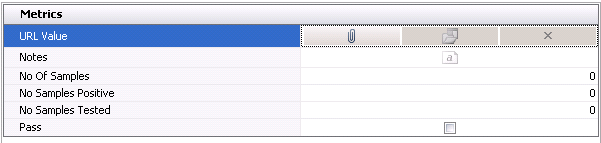
In the Notes field, enter any additional information relating to the multi metric transaction.
In the No of Samples field, enter the number of samples that are being sent for testing.
In the No Samples Positive field, enter the number of samples that tested positive.
In the No Samples Tested field, enter the number of samples that have been tested.
Select the Pass flag if the test passed.
Once the Lab Test transaction has been created and saved, the transaction needs to be posted. The posting process locks the transaction to prevent edits, and the information gets posted back to the entity. Posting the transaction will also delete the existing data in Entities>Health Status and update by adding the new health status results for the defined lab test code. Entities will only display the most recent test results for the lab test code. The logic will post regardless of the Validate Health Status switches established in the registry.
 in the top menu bar and
select 'Post'.
in the top menu bar and
select 'Post'.