reports

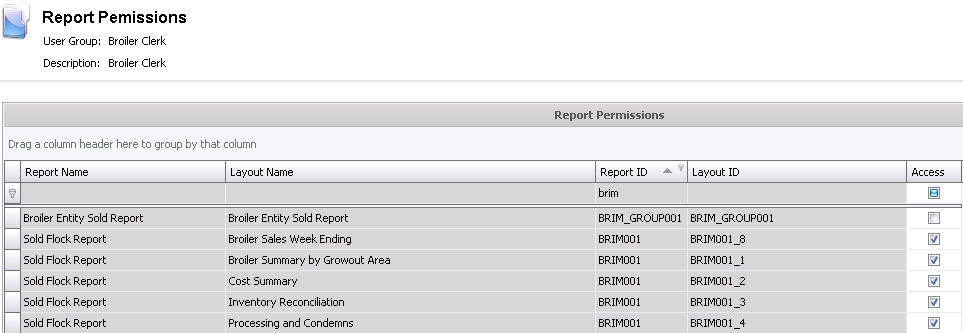
Reports is used to allow user groups access to reports. If the user
does not have access, the user is unable to generate the report.
Edit Report Permissions
- In Admin>Systems>Permissions,
select Reports.
- The Interface Permissions screen will display
all current interfaces. Click the Edit
 button to
edit an interface permission.
button to
edit an interface permission.
- Select the required report and select the Access flag to allow the user to
access the report.