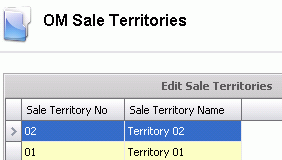
Sales Territories are used in the Customers table to define the sales territories. Sales Territories are assigned to ship-to customer types on the Reporting tab and are used for reporting purposes.
Table Name: OMSaleTerritories
In Admin>Business>General>Order Management, select Sales Territories.
Select  to
create a new record.
to
create a new record.
Enter the Sale Territory No to identify the sales territory. Alphanumeric, maximum 20 characters.
Enter the Sale Territory Name to describe the territory. Alphanumeric, maximum 50 characters.
Save and Close the record.